
Offline PDF answers for Windows
Ask your PDFs.
Check every answer.
Doclume 1.0.1 reads text-based PDFs entirely on your Windows PC, then answers in plain words with page citations you can open and verify. No account. No cloud. No telemetry.

How it works
From document to verified answer.
-
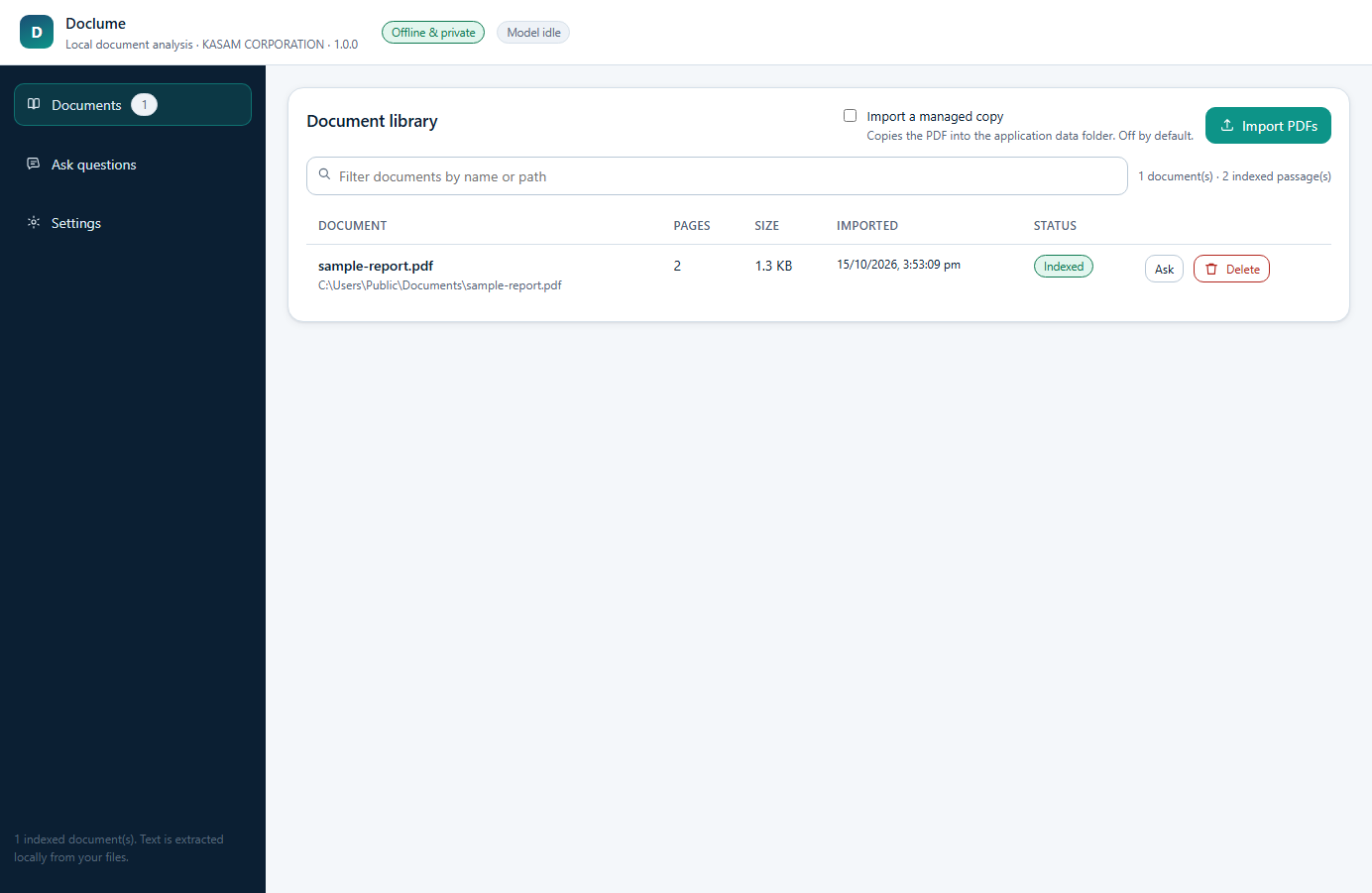
Import on your PC
Import a text-based PDF. Doclume reads the text and indexes every page on your PC.
App screenshot. -
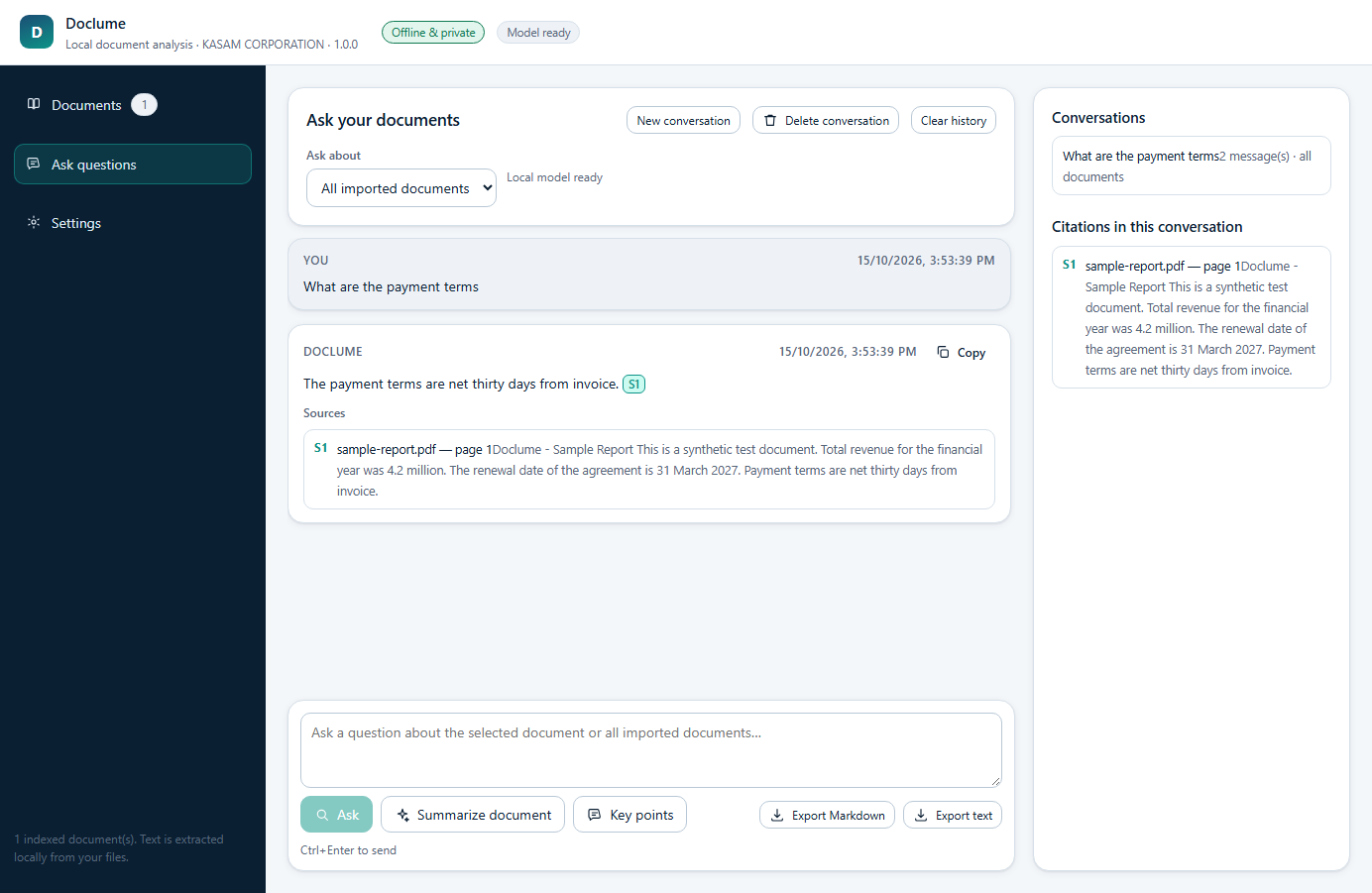
Ask in plain words
Ask about one document or your whole library. The first answer takes a few seconds while the on-device model loads.
App screenshot. -
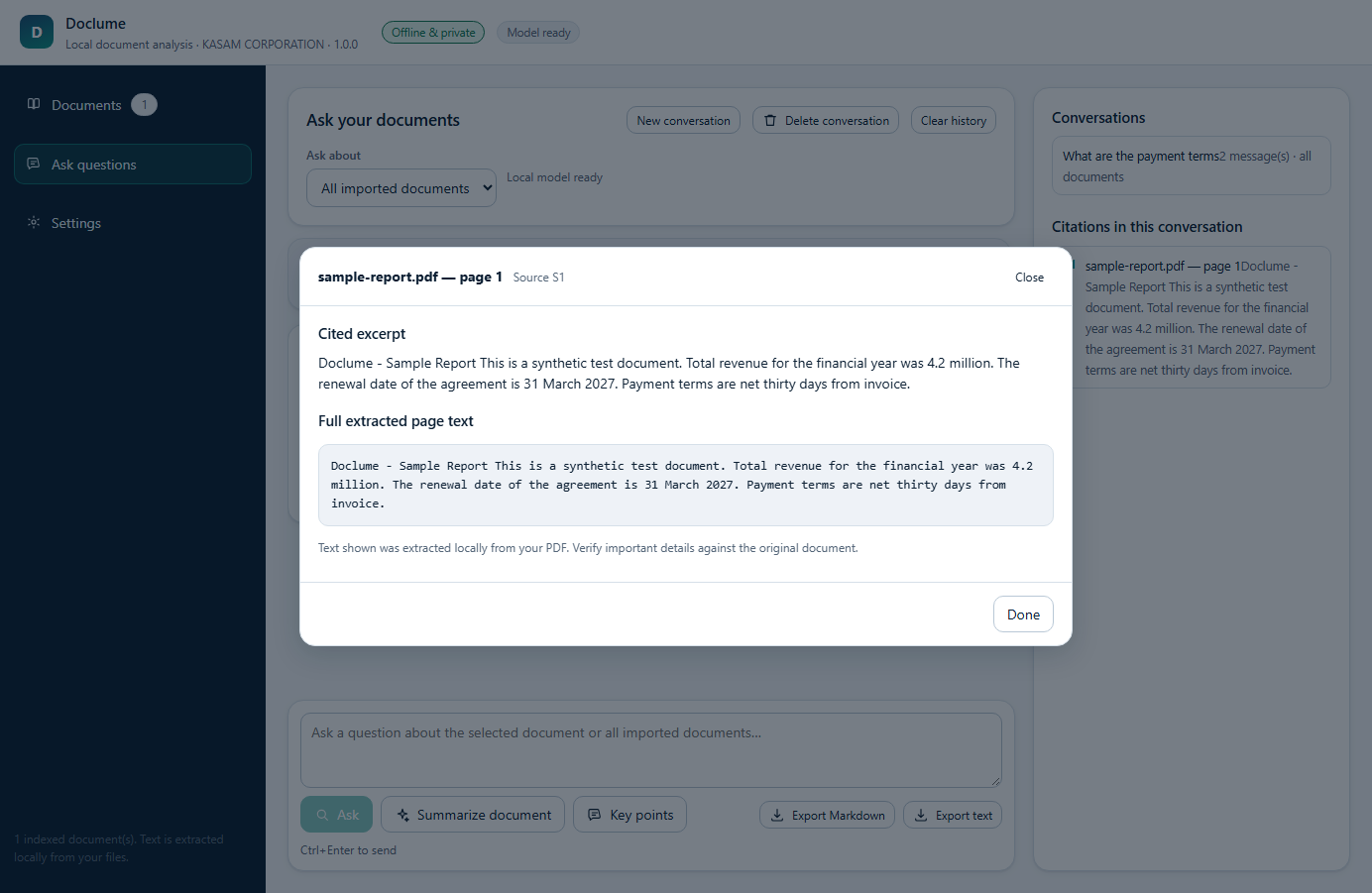
Verify the source
Each answer names its pages. Open a source to read the excerpt beside the full page text.
App screenshot.

Private by design
Your documents stay yours.
Doclume keeps the whole loop on your computer. Import, index, question, answer and history live in a local database under your Windows profile.
The local model server listens on loopback only. Public statements about network testing live in the release records, not in this marketing copy.
- Accounts
None
No sign in, no subscription, no identifiers.
- Uploads
None
Text is indexed where the file already lives. Originals are never modified.
- Telemetry
None
No analytics, no crash reporting, no advertising identifiers.
Honest limits
What Doclume will not do.
Scanned or image-only PDFs are reported as having no extractable text. Version 1.0.1 includes no OCR. Use a digital PDF with selectable text.
Answers are generated automatically and can be incomplete or wrong. Always verify important information against the cited source.
The citation viewer, up close.

Get Doclume for Windows.
Windows 10 version 1809 (x64) or later, Windows 11 (x64). Distributed only through the Microsoft Store. Questions go to support@kasamcorporation.com.